

Brief History: The Reserve Bank of India (RBI) has announced new directions in the Bi-monthly Monetary Policy Review dated April 5, 2018 under the provisions of the Foreign Exchange Management Act, 1999 with the objective to integrate the reporting structures of various types of foreign investment in India through its circular vide A.P. (DIR Series) Circular No. 30 notified on the 7 June 2018
In order to implement the announcement, Reserve Bank of India introduced online portal FIRMS (Foreign Investment Reporting and Management System), which would provide the SMF Single Master Form (SMF) subsuming all the existing reports to make it convenient.
With the implementation of SMF w.e.f September 1, 2018, the filing of forms FC-GPR, FC-TRS, LLP-I, LLP-II, CN, ESOP, DI, DRR, InVi are to be filed and submitted through Single Master Forms. The Reserve Bank of India (the “RBI“), on September 1, 2018, released a user manual (the “SMF Manual“) to clearly set out the procedure for filing a single master form (the “SMF“).
Every company having foreign direct investment in India (FDI), is required to report Reserve Bank Of India.
What is FC-TRS:- The literal meaning of Form FC-TRS is Foreign Currency Transfer of Shares. This form is filed in case of transfer of shares of an Indian Company from a resident to a Non-Resident/Non-Resident Indian and vice versa through its authorised dealer bank (AD Category-1 Bank)
What is FIRMS:- FIRMS an online reporting platform for reporting of foreign investment in India in SMF. FEMA 20(R) prescribes for the reporting of foreign investment in India through various returns. FIRMS provides one stop 24*7 online reporting facilities for the applicant.
What is SMF:- SMF is Single Master Form to file and submit various types of foreign investment in India like FC-GPR, FC-TRS etc. It is integrated form for reporting to Reserve Bank of India through the FIRMS portal by creating Entity User and Business User.
What is Business User:- Business user is authorized Person by the Reporting Company to report the transaction to RBI in Single Master Form at FIRMS Portal. A BU can use his login credentials for only the entity that has authorized him/her to report the transactions.
What is E-KYC:– Every business user has to be eKYC verified before any reporting can be made in the Single Master Form. This would ensure that only genuine Logins are made available in the FIRMS application. All eKYC would be verified by the AD banks.
Type of Securities considered under FDI.
Procedure to file Form FC-TRS with RBI:- The form FC-TRS shall be filed with the Authorised Dealer bank within Sixty days transfer of capital instruments or receipt/remittance of funds whichever is earlier.
There are two steps to file the FC-TRS:
Registration for an Entity User:
Pre-requisites
Registration Process
Uniform Resource Locators (URL) of the application is https://firms.rbi.org.in
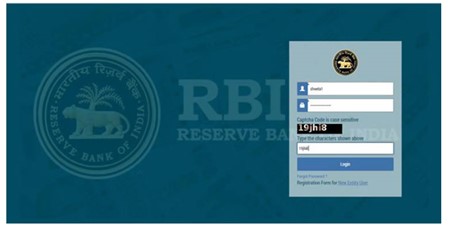
Landing page for Registering an Entity User
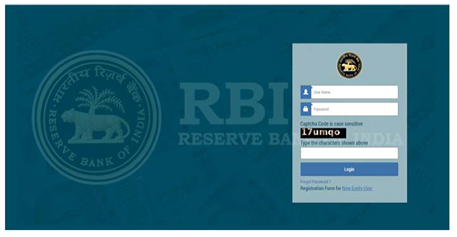
Creation of new Entity User:-
Step 1: Click on Registration form for New Entity User
Step 2: A pop-up box showing Entity User Registration form opens.
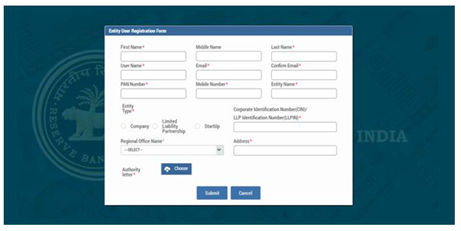
Step 3: Fill all the details in the Entity User Registration Form.
Step 4: Click on Submit button after filling all the details.
Step 5: Message “Record Saved Successfully” pops up. User has created its user ID.
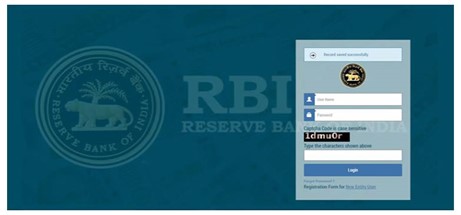
Authority Letter submitted by the entity user will be verified by RBI and after RBI’s approval; the user will receive the password on their registered email ID from RBI email ID autoreply-fid@rbi.org.in.
(Note: If the user does not receive the mail notification for approval/rejection of the registration within the next 48 hrs, he/she may contact by email)
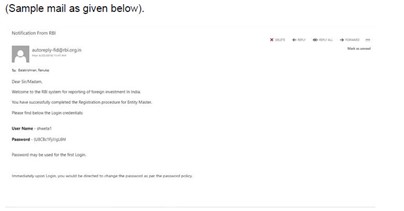
Step 1: Enter User Name and Password as provided to the User in the email from RBI and click Login. The user would be asked to change his/her password upon first Login.
4.6 Change Password
Step1. The Change Password window is displayed.
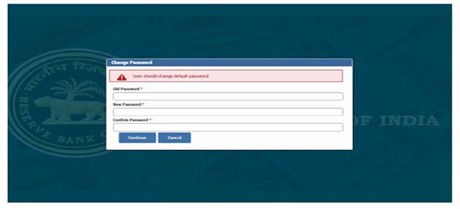
Step 2. Enter your old password in the Old Password field and new password in the New Password field.
Step 3. Re-enter the new password to confirm it and click continue.
Filing of FC-TRS:-
The FC-TRS can be filled using the following steps:
Step 1: Registration for Business User
Step 2: Logging in to firms
Step 3: Logging in to SMF and reach out to your workspace.
Step 4: Select the Return type.
Step 5: Common investment details
Step 6: Common details
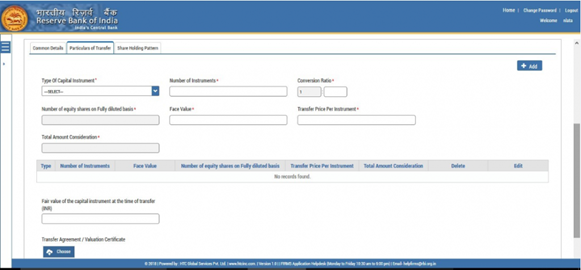
Step 7: Particulars of transfer
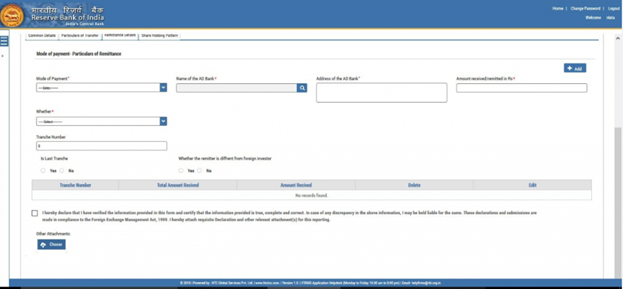
Step 8: Remittance details
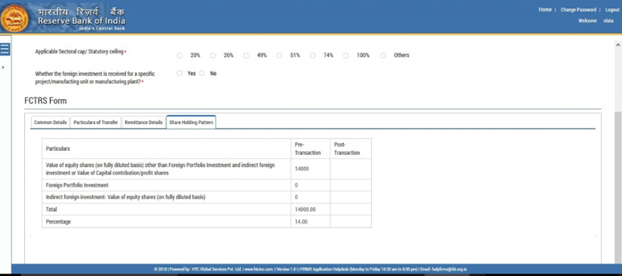
Step 9: Shareholding pattern
Step 10: Submitting the form
Registration for Business User:
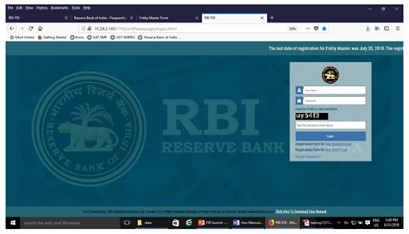
Step 1. Go to the FIRMS website at https://firms.rbi.org.in
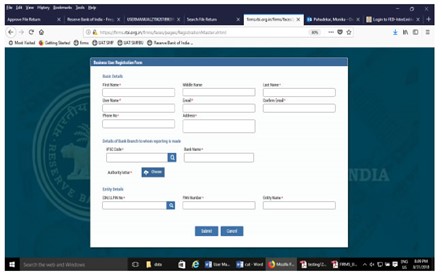
up the details in the popped up registration form for BU as below
Upon first Login, BU would be prompted to change the password through a pop-up window. Enter the details and submit. Upon success, Message “Password changed successfully” would appear on the Login Box.
Enter user name, new password and captcha in the Login Box and click submit. The user would be taken to his/ her workspace.
Upon subsequent logins, the BU may enter username, set password and captcha in the Login box and click submit. The user would be taken to his/ her workspace.
Click Submit button. In case any error is displayed, rectify the same and click Submit button.
A Message “Record Saved successfully” is displayed at the top of Login box.
After BU submits the registration form, the same will have to be verified by the AD Bank Branch concerned. The approval/ rejection of the same would be communicated through email notification to the BU.
Step 3: Logging in to SMF and reach out to your workspace:
After completing the submission process for the form of registration of new business user, you will be able to login to the firms (website for the same is https://firms.rbi.org.in) now you can Login into SMF and reach your work space.
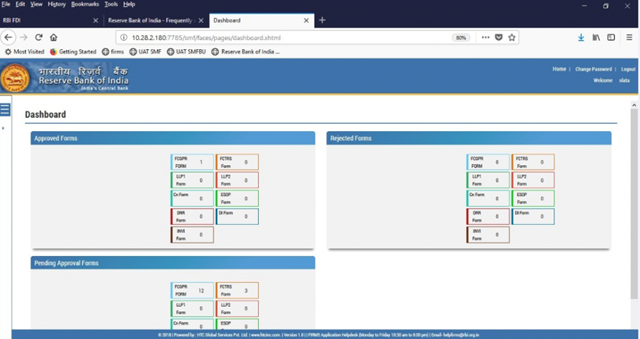
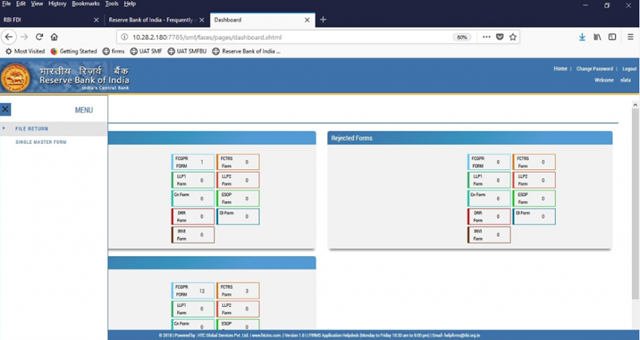
Step 4: Select the Return type- Form FC-TRS:
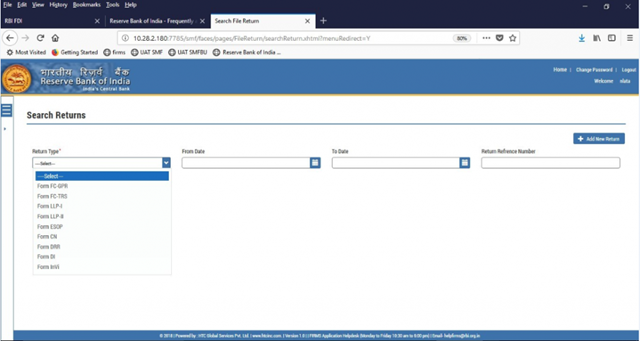
Step 5: Common Investment Details:
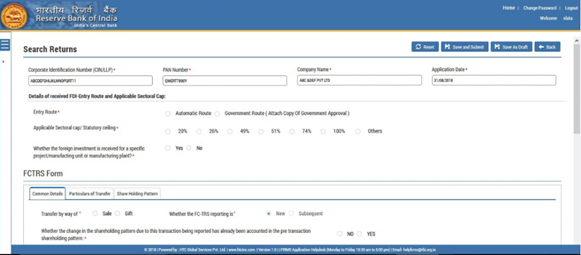
Step 6: Common Details:
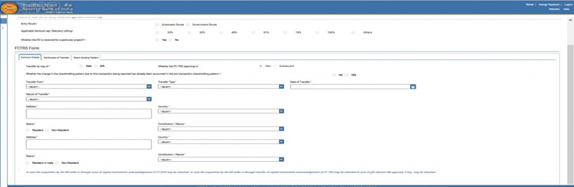
Step 7: Particulars of Transfer:
Step 8: Remittance details:
Step 9: Shareholding Pattern:
Step 10: Submitting the Form:
List of documents to be attached along with form FC-TRS: